Draft and review a work email
You can do this after: Basics
In one line
Work emails, from draft to review
The habit of checking polite wording and accurate facts separately.
The big picture
Illustration (may look a little different from the real screen)
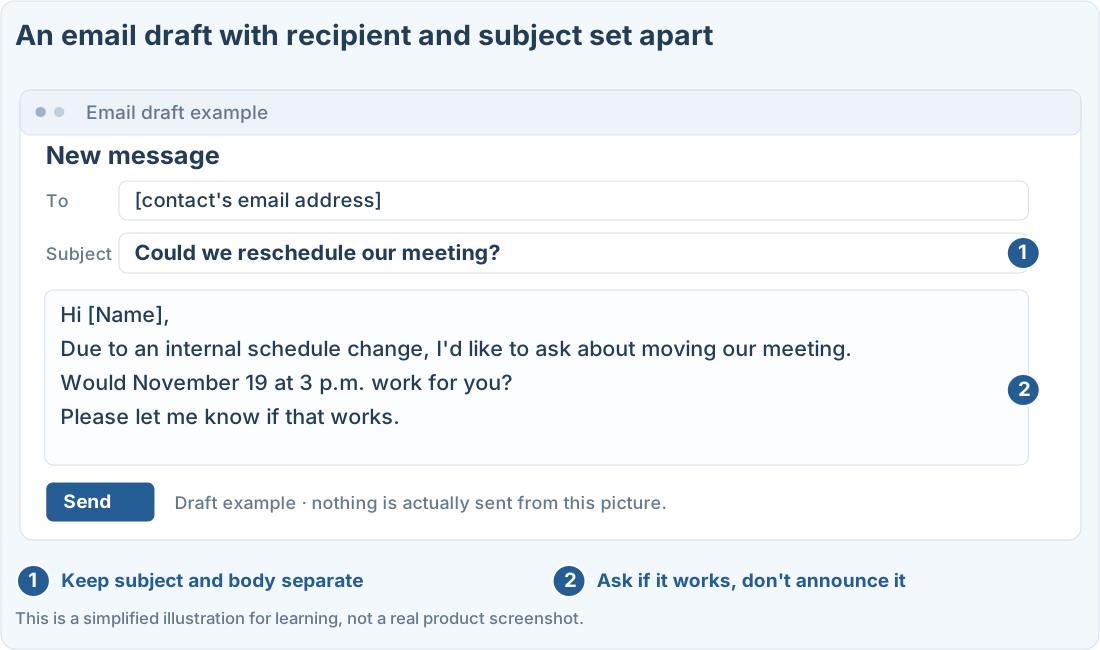
Follow along
Start with the recipient, the purpose, and the confirmed facts
This example is “asking a client to reschedule a meeting.” Practice with made-up details before putting in real names and business information.
Current meeting: November 18, 2 p.m.
Proposed new time: November 19, 3 p.m.
Recipient: [Name]
Reason: internal schedule change
The new time hasn’t been agreed with the other person yet.
Follow along from writing it to revising it
1. Open a new chat and say what the email is for
On ChatGPT on the web, go to New chat and paste the first prompt below. If you don’t know the recipient’s title, use something neutral like their name in brackets.
2. Ask it to keep a request apart from a decision
If the new date is just what you’d like, ask it not to write something like “The meeting has been moved.” Asking for the subject and body separately makes them easier to copy.
3. Adjust the tone and length once more
If it’s too long, ask: “Keep the body to 5 sentences or fewer, polite but without over-apologizing.” Also say not to change the dates and times.
Check before pasting it into your email
What you made here is an email draft. Nothing is sent to your email service automatically. Copy the body, paste it into your email’s compose window, and check the following.
Illustration (may look a little different from the real screen)
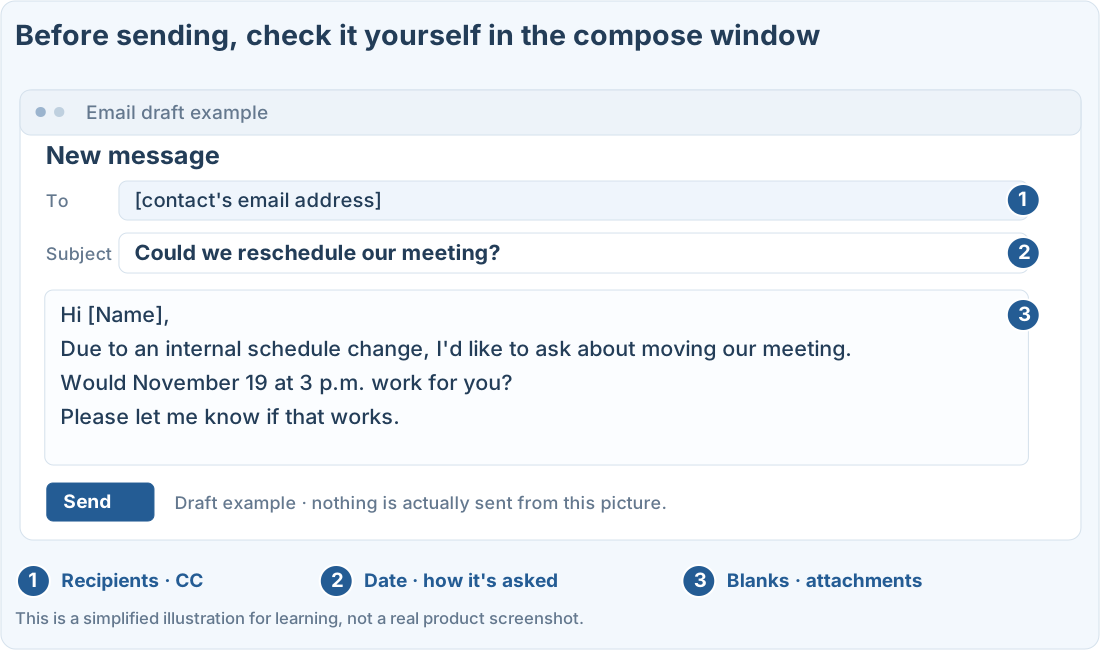
Check the email address, attachments, and CC yourself. Don’t assume the AI checked the content for you.
Prompts you can copy
Change the parts in square brackets to fit your situation, then paste it into the real ChatGPT or Codex screen.
Email asking to reschedule
Check the draft before sending
Where people get stuck
A quick check
- Did the request turn into an announcement that it’s decided?
- Were any promises, compensation, or deadlines added that weren’t in the original?
- Does it match the terms and signature format your company uses?
- Did you check it’s OK to send to the real recipient?
Quick check: The other person hasn’t agreed to the new time. Can I write “The meeting has been moved”?
Answer: “No, rewrite it as a request asking if it works”
A preferred time and a confirmed time are different. Reword it to ask whether the other person is available.
Official sources
I'm stuck here
Stuck while following along? Tell me where. Only the site owner sees this. Leave your email only if you'd like a reply.
💌 Get new tips by email
I'll email you when a new tip goes up. No ads, ever.