Turn meeting notes into minutes and to-dos
You can do this after: Basics
In one line
Turn scattered meeting notes into things to do
Keep what was decided apart from what was discussed, and owners apart from deadlines.
The big picture
Illustration (may look a little different from the real screen)
Follow along
Get your notes ready and take out sensitive info
This lesson uses typed notes only. No recordings, transcription, or extra tools. Start by copying the sample memo.
Download the made-up meeting memo
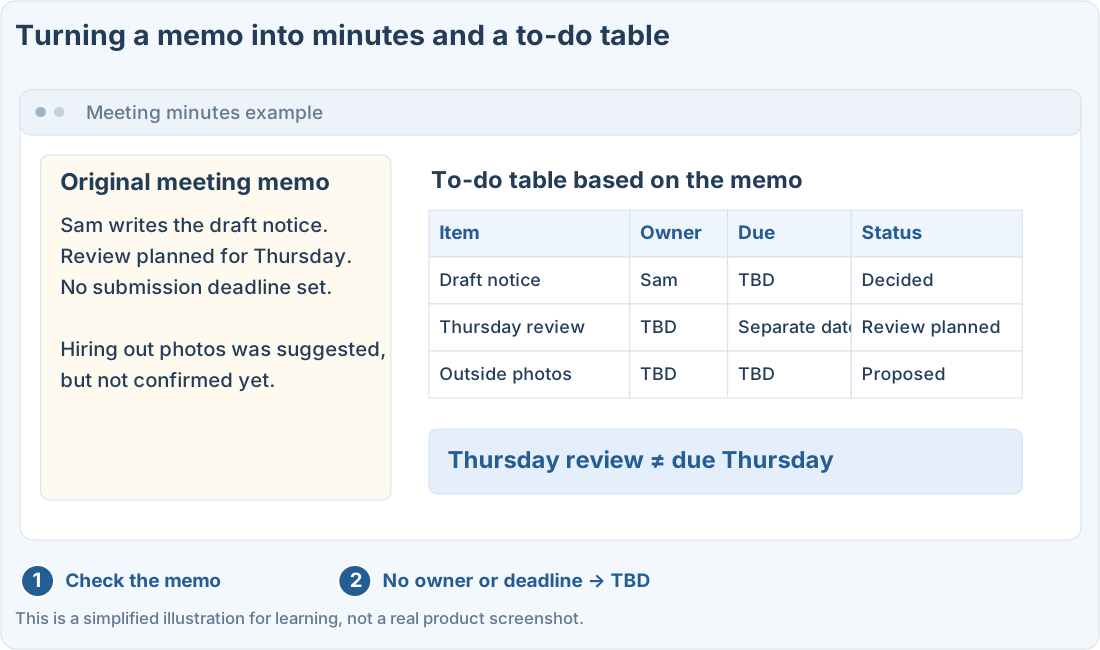
Decided that Sam will write the draft notice. Review planned for Thursday; submission deadline not set yet. Someone suggested hiring an outside vendor for photos, but nothing is confirmed. Budget owner: TBD. Next meeting date to be announced.
Paste the memo and ask it to sort things
1. Paste the memo into a new ChatGPT chat
In a new chat, copy the first prompt below. When you swap in your own memo, check that your company’s policy allows sharing it.
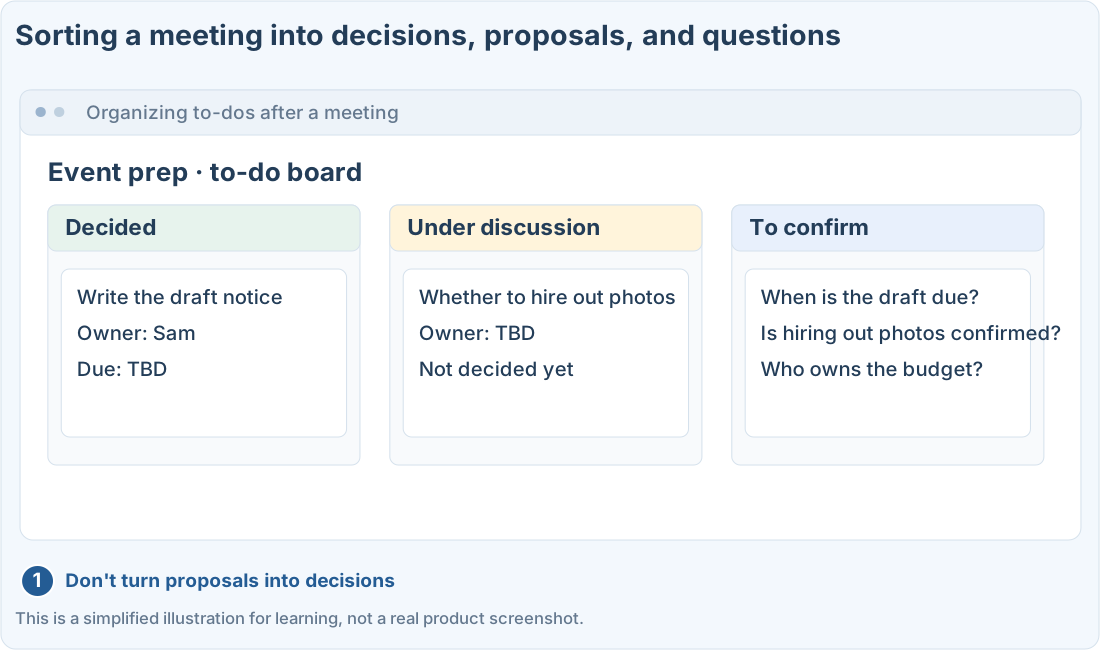
2. Separate decided, under discussion, and TBD
Ask it not to turn every sentence into a to-do. Have it mark proposals as under discussion, and missing information as TBD.
3. Compare the to-do table with the original
Check that the owners and deadlines are really in the memo. Make sure “review Thursday” didn’t turn into “due Thursday.”
Pull out the questions to confirm separately
Instead of letting the AI fill in missing information, make a list of questions to ask at the next meeting or the people involved.
Illustration (may look a little different from the real screen)
Check with the people who were actually there before sharing. This doesn’t automatically add anything to your calendar or task app.
Prompts you can copy
Change the parts in square brackets to fit your situation, then paste it into the real ChatGPT or Codex screen.
Turn the made-up memo into minutes
Check the to-do table against the original
Where people get stuck
Check before the minutes are final
- Did any comment or proposal turn into a decision?
- Are review dates kept apart from deadlines?
- Were any TBD owners or deadlines filled in on its own?
- Do the follow-up questions actually target missing information?
Quick check: Can I write “someone suggested an outside vendor” as “decided to hire an outside vendor”?
Answer: “No, leave it as a proposal under discussion”
A proposal isn’t a decision. Leave anything unconfirmed as under discussion, and check with the actual owner.
Official sources
I'm stuck here
Stuck while following along? Tell me where. Only the site owner sees this. Leave your email only if you'd like a reply.
💌 Get new tips by email
I'll email you when a new tip goes up. No ads, ever.