Free vs. paid plans and usage limits
In one line
Can I start free? Understanding plans and usage limits
We’ll untangle subscription fees and API costs, starting with what trips people up.
The big picture
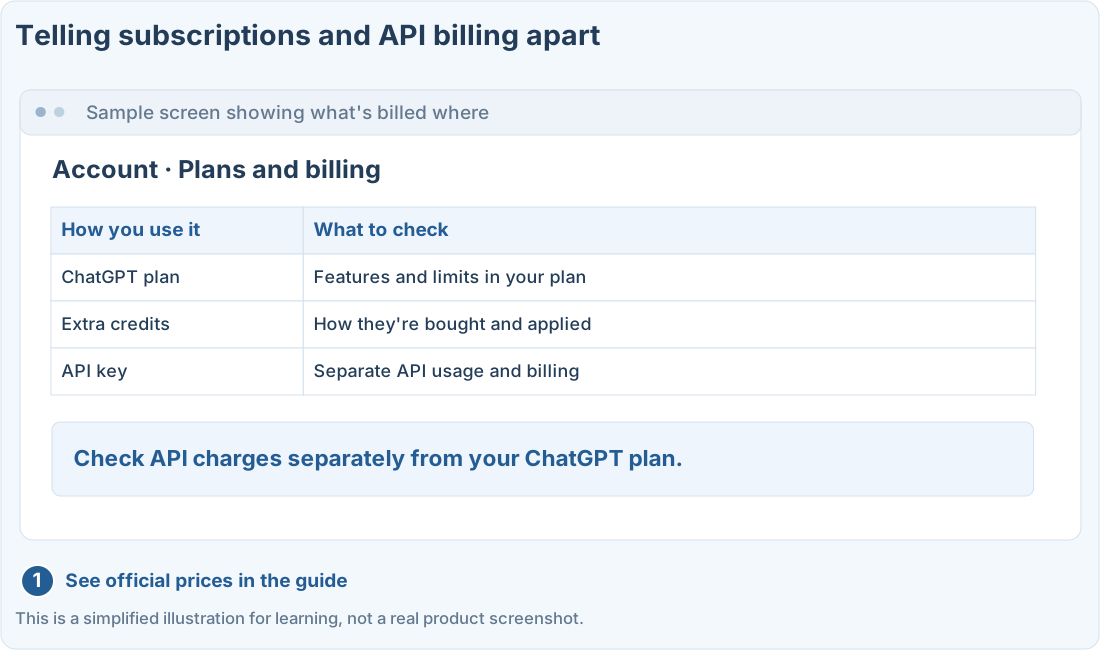
Illustration (may look a little different from the real screen)
Follow along
You don’t need to pick an expensive plan right away. Try a small task first, then choose based on the features and amount of use you actually need.
The amounts below are the US dollar prices listed in official documents. What you actually pay can vary by region, taxes, and how you pay. This page isn’t updated in real time.
First, tell four things apart
★ Compare them ★
Most importantly, don’t treat a ChatGPT subscription and API billing as the same thing. First check which way you’re signed in when you work.
What plans are there?
| Plan | Listed price | Type |
|---|---|---|
| Free | $0 / month | Free |
| Go | $8 / month | Personal, paid |
| Plus | $20 / month | Personal, paid |
| Pro | $100 · $200 · $500 / month | Choose by usage |
| Business | Billed annually: $20 per user/month Billed monthly: $25 per user/month | 2+ users |
| Enterprise · Edu | Contact sales | Companies & schools |
With annual billing, the monthly price is the yearly total divided by 12. Check the actual billing cycle and commitment terms too.
Codex is included in ChatGPT plans, but which environments, models, and features you get, and how much you can use them, depend on your plan. Whether Free and Go include it, and how much, can also change as features roll out.
Official pricing and features ↗When using Codex, check how you’re signed in
The same Codex task can be billed differently depending on whether you use it with your ChatGPT account or with an API key.
Illustration (may look a little different from the real screen)
Signed in with ChatGPT account
Check your plan's features, limits, and credits
Sample replyUsing an API key
Check API prices, usage, and project billing settings
Treat your API key like a password and never share it.
Signed in with ChatGPT account
Check your plan's features, limits, and credits
Sample replyUsing an API key
Check API prices, usage, and project billing settings
Treat your API key like a password and never share it.
If you subscribe to Plus and run an automation by putting an API key into a separate program, that API usage is not covered by your Plus subscription. You need to check the API billing terms separately.
Limits aren’t just “so many messages a day”
How long your request is, attached files, chat history, and which models and tools you use can all affect usage. One short question and one big round of changes to a project don’t use the same amount.
So this guide won’t promise “this plan gets you exactly X uses.” Go by the usage screen in your own account and the current terms.
- Tell apart “this feature isn’t available to me” from “I’ve hit my usage limit”
- Check when your limit resets and how much you have left
- Before paying for more, check what it covers and how you’ll be charged
Breaking work into small pieces and clearly giving it the files and conditions it needs also makes the results easier to review and fix.
How do I pick the right plan?
- Write down what you want to do. Writing? Analyzing files? Building a web page?
- Check what the free account includes. Try the feature you want on a small scale first.
- Figure out why you’re stuck. Is the feature not supported, did you hit a limit, or is it a settings issue?
- Compare plans that have what you need. Look beyond price at where you can use it and team management features.
If it’s for work, check your company’s approved accounts and data policies before paying for a personal plan. Team plans come with their own admin and security terms.
Prompts you can copy
Before you pay, use the prompts below to sort out what you need. Double-check any prices and features the AI suggests against the official documents.
Work out which plan terms I need
Check automation costs first
Where people get stuck
Quick check: If I subscribe to ChatGPT Plus, are API costs from a separate program included too?
Answer: “No, the API is billed separately”
Costs from using an API key are separate from your ChatGPT subscription.
Official sources
I'm stuck here
Stuck while following along? Tell me where. Only the site owner sees this. Leave your email only if you'd like a reply.
💌 Get new tips by email
I'll email you when a new tip goes up. No ads, ever.