New to AI? Start here → Start 1. ChatGPT vs. Codex: what's the difference?
Build an automation that merges CSV files
In one line
Build an automation that merges several CSV files
From copied practice files to a results file with totals that add up.
The big picture
Illustration (may look a little different from the real screen)
Follow along
Keep the downloaded practice files separate
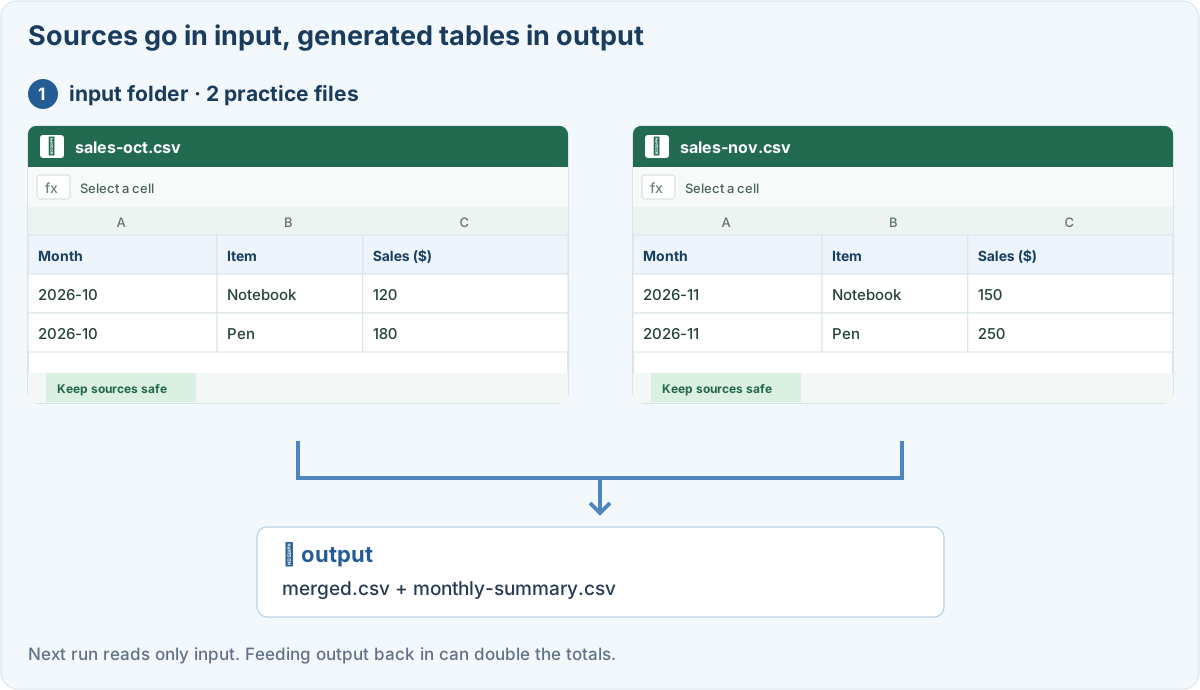
Read Design your first automation before starting. The two CSV files below are made-up sales data with the same column names.
October practice CSV November practice CSV
Make a new practice folder called csv-practice, with an input folder and an output folder inside. Put the two downloaded files only in input.
Give Codex the processing rules
1. Choose csv-practice as the working folder
Choose the new folder, not the earlier reading-log project. Copy the prompt below, and first have it explain the setup it needs and its plan.
2. Ask it to build the program and explain how to run it
After checking the plan, ask it to build the program. If something extra needs installing, find out why first. If Codex can run things in your setup, have it run on the practice files. If you need to run it yourself, get exact steps for your computer.
3. Check the results in output
Don’t let it search through every file. Set it to read only the CSV files in input. If the output from an earlier run gets included as input, the totals can double.
Check it with small data where you know the answer
October has $120 and $180, and November has $150 and $250. You should get 4 input rows, $300 for October, $400 for November, and $700 in total.
Illustration (may look a little different from the real screen)
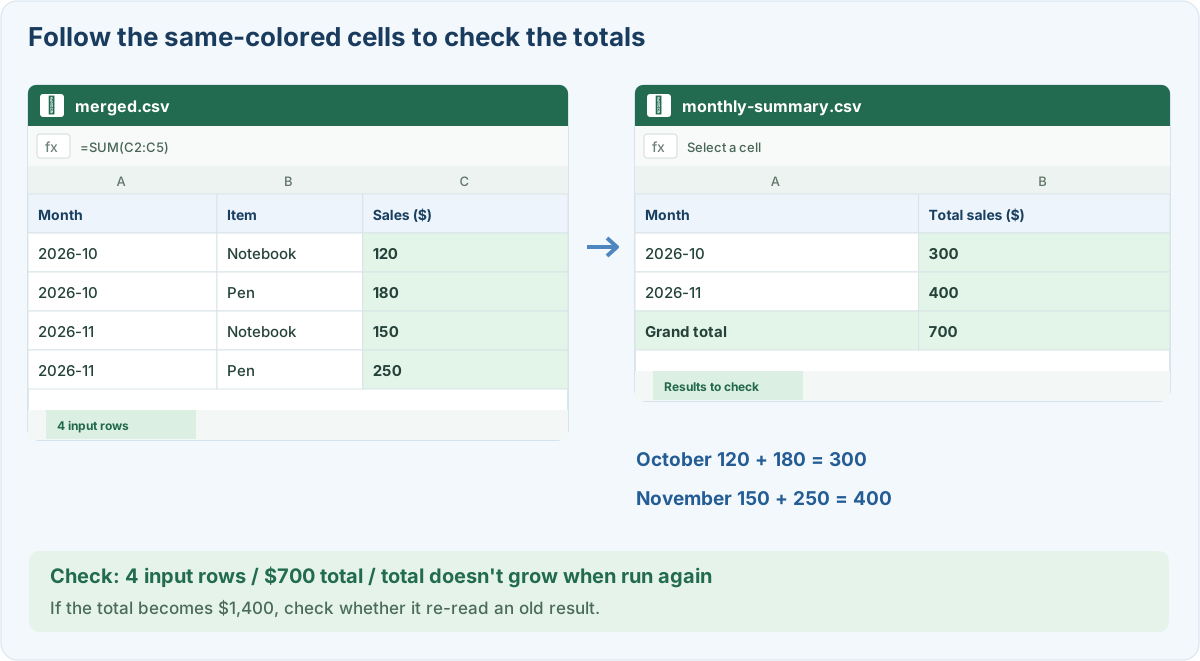
Even identical rows aren’t deleted automatically if there’s no transaction ID. If an amount isn’t a number or a required column is missing, it should report an error instead of quietly making a result.
Prompts you can copy
Ask for a CSV merge program
Test with the sample and check a re-run
Where people get stuck
Quick check: On the second run, the total became $1,400. What should I look at first?
Answer: “Check whether it read the old output as input”
If earlier results are read as input again, they can be counted twice. First check what’s included in input and output.
Official sources
I'm stuck here
Stuck while following along? Tell me where. Only the site owner sees this. Leave your email only if you'd like a reply.
💌 Get new tips by email
I'll email you when a new tip goes up. No ads, ever.