New to AI? Start here → Start 1. ChatGPT vs. Codex: what's the difference?
Turn repeated requests into a skill
In one line
Turn repeated requests into a skill
The steps you explain every time become rules you can reuse.
The big picture
Illustration (may look a little different from the real screen)
Follow along
A skill is a how-to guide for repeated work
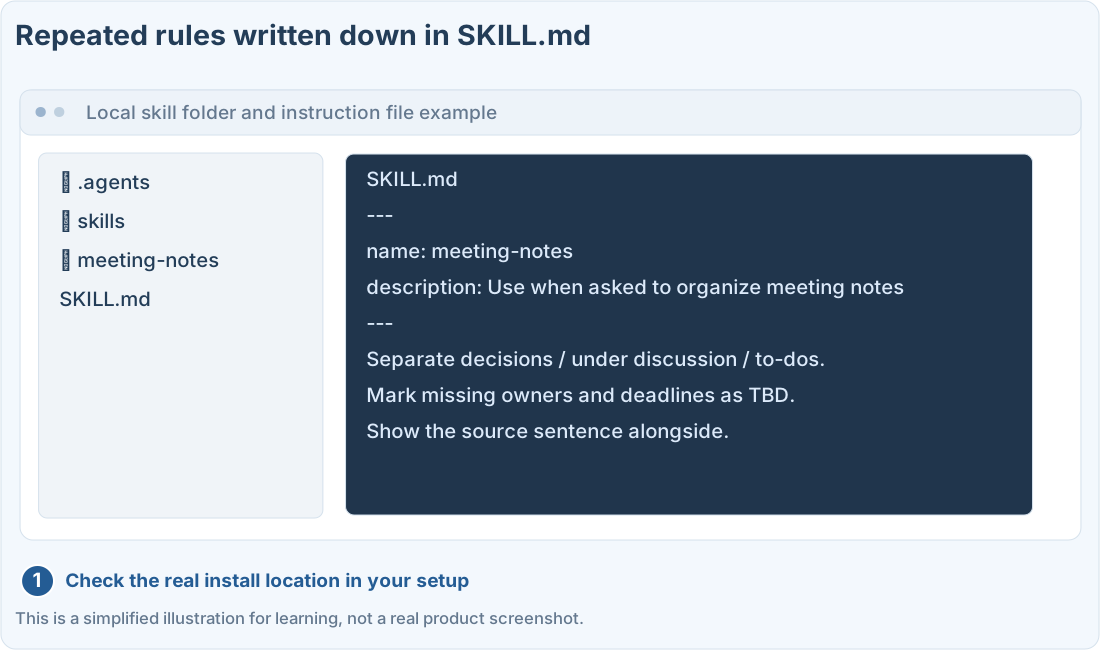
If you type the same format and cautions every time you organize meeting notes, you can bundle those steps into a reusable skill. The key is clearly writing its name, when to use it, and the input and output rules.
Start with one small rule
1. Pick a task that already works well
Start with a task whose results you’ve already checked yourself, like the meeting notes lesson. If the original steps are unclear, a skill will just get it wrong consistently.
2. Ask Codex to make it
Ask it to create a skill, like the first prompt below. You can also call Codex’s built-in creation tool with $skill-creator. How it appears may differ depending on your setup.
3. Check where it’s installed and how to call it
A local skill can be a folder containing a SKILL.md file. Check where it applies, such as .agents/skills for a project, against the official docs and your current setup. Reading this guide doesn’t install a skill.
Test with a good example and an edge case
Illustration (may look a little different from the real screen)
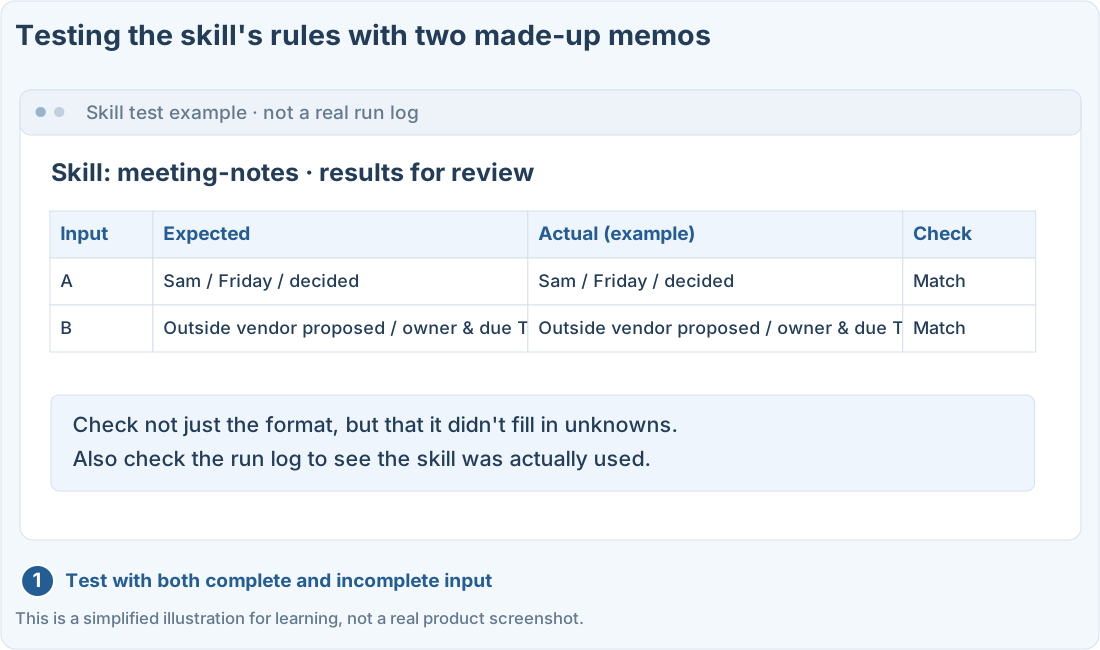
Don’t call it finished after one result. After changing it, check again with the same examples, and if it doesn’t apply automatically, check its name and how to call it directly.
Prompts you can copy
Make a meeting notes skill
Check how the skill handles edge cases
Where people get stuck
Quick check: If the results always come out in the same format, did I test the skill properly?
Answer: “No, also check that it handles edge cases without guessing”
Check not only for a consistent format, but that missing or uncertain input is handled by the rules too.
Official sources
I'm stuck here
Stuck while following along? Tell me where. Only the site owner sees this. Leave your email only if you'd like a reply.
💌 Get new tips by email
I'll email you when a new tip goes up. No ads, ever.