New to AI? Start here → Start 1. ChatGPT vs. Codex: what's the difference?
Design your first automation for repetitive work
In one line
What to decide before automating repetitive work
Map out input, rules, results, and review, and the tool you need becomes clear.
The big picture
Illustration (may look a little different from the real screen)
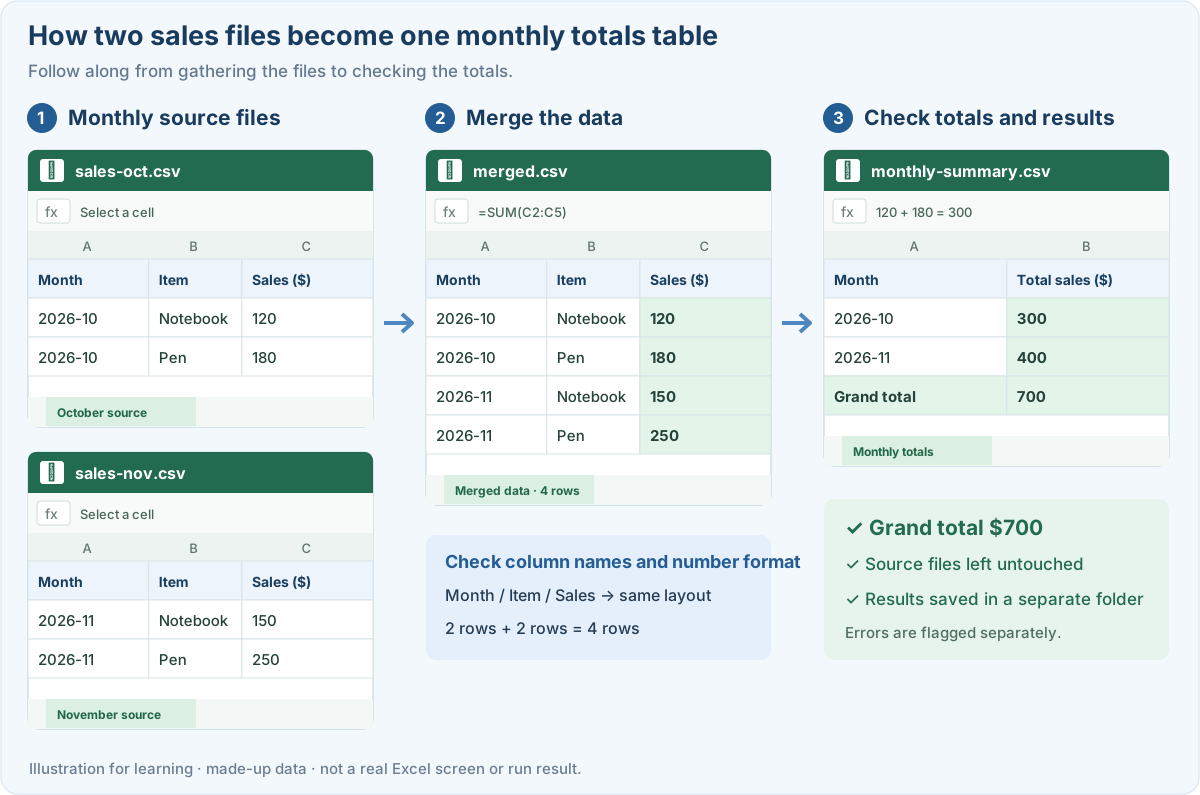
Follow along
Let’s use merging sales files as the example
In this guide we won’t run a program right away. We’ll design what to automate and how. The situation: combine two sales CSV files with the same columns into monthly totals.
First, write down these four things
1. Pin down the input format
Write down the file type, column names, and number units. If you mix files with different layouts, it’s hard to apply the same rules. Decide that it should stop and tell you if a name differs or a required column is missing.
2. Set rules for duplicates and blanks
Without a transaction ID, two identical rows might still be two different sales. Instead of “Remove duplicates for me,” have it check the rule first. For blank amounts, decide whether that means 0 or missing.
3. Keep sources and results apart
Put only practice copies in the input folder, and save results in a separate output folder. Also decide whether to overwrite old results or make a new file for each run date.
4. Have a person check a small sample
Start with 2 files and just a few rows. Check the number of input rows, any excluded rows, and the grand total before moving on to real work.
Also map out a way back if something goes wrong
Illustration (may look a little different from the real screen)
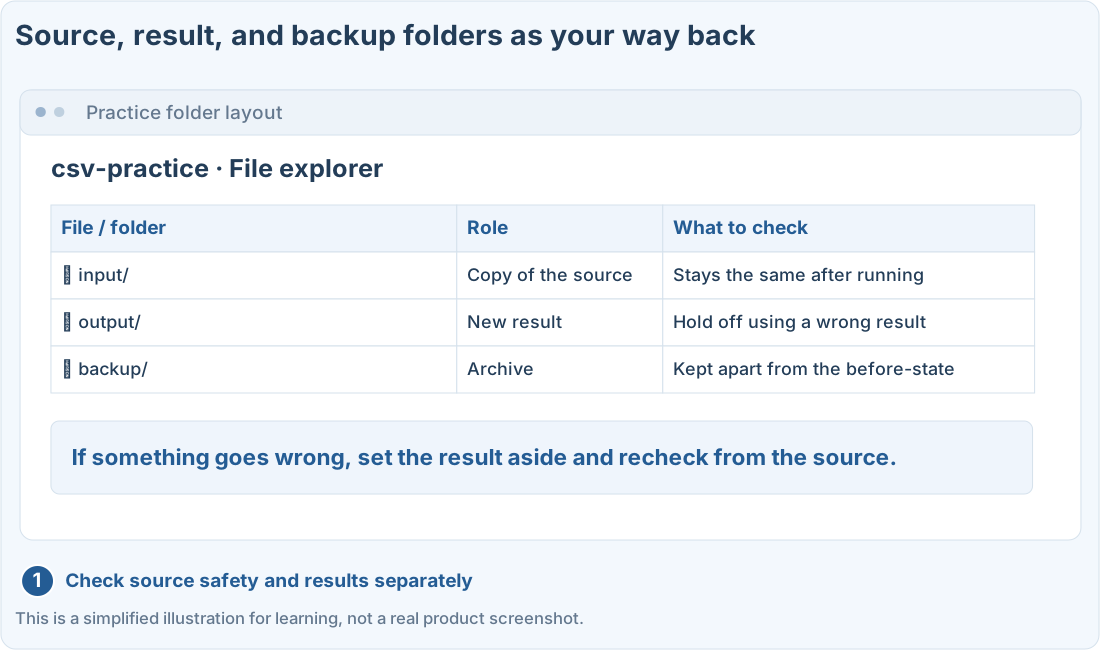
Don’t add scheduling or sending to other systems from the start. Check that a manual run gives the right result first, then decide when it runs, how to prevent double runs, and how failures are reported. That order makes reviewing easier.
Prompts you can copy
Ask for a CSV automation design first
Review the automation plan
Where people get stuck
Quick check: I found two rows with the same content. Can I just delete one?
Answer: “First check how transactions are identified”
Without a duplicate rule or a transaction ID, identical rows can still be separate sales. Check the rule first.
Official sources
I'm stuck here
Stuck while following along? Tell me where. Only the site owner sees this. Leave your email only if you'd like a reply.
💌 Get new tips by email
I'll email you when a new tip goes up. No ads, ever.