New to AI? Start here → Start 1. ChatGPT vs. Codex: what's the difference?
Connect GitHub and choose repository access
In one line
Connect GitHub and choose repository access
Before opening up all your code, pick only the repositories you need.
The big picture
Illustration (may look a little different from the real screen)
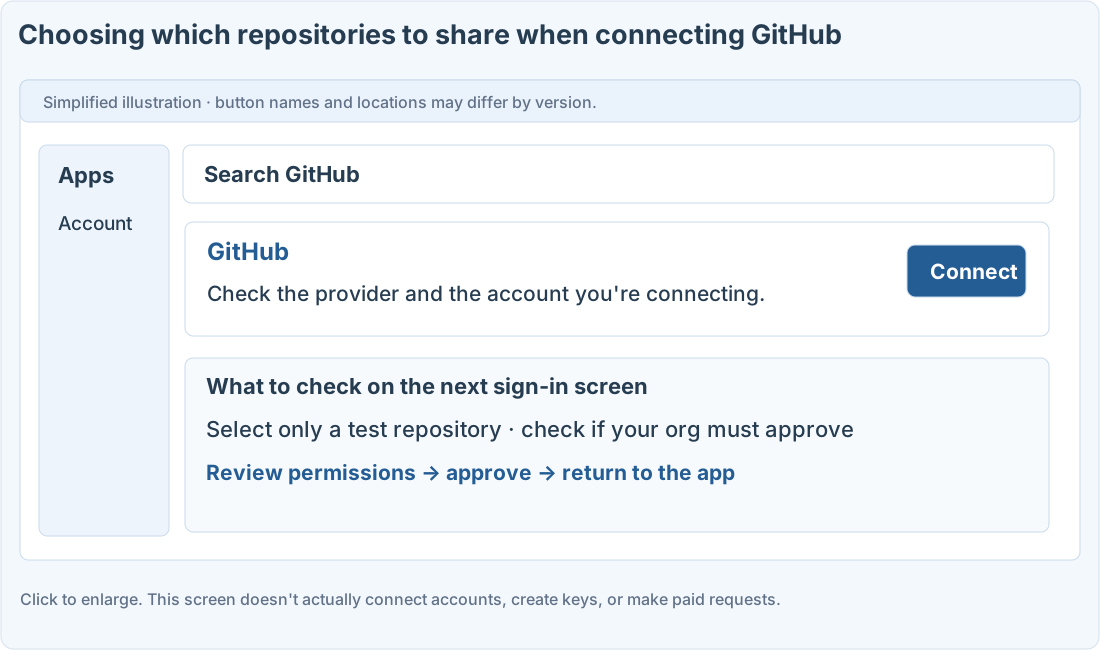
Follow along
Tell the ChatGPT connection apart from Codex tasks
This guide starts with the connection that lets ChatGPT read repository content. It doesn’t automatically set up a Codex Cloud environment or give commit and push permissions. Have a GitHub account and a test repository ready.
Allow only the repositories you need
1. Find GitHub under plugins in Settings
Choose GitHub, or an official plugin that includes GitHub, and go on to connect your account.
2. Check the GitHub account and where it’s being installed
Check whether it’s your personal account or a company organization. Organization repositories may need an admin to approve.
3. Review the repository selection screen
If there’s an option to allow only selected repositories, pick your practice repository. Finish GitHub’s permission approval and come back.
4. Test it by reading the README
Use the prompt below to ask about a specific repository’s README. Check that the answer is based on the actual file.
Prompts you can copy
Check the connection with a README
Separate what the connection covers from Codex
Where people get stuck
Missing repositories and write access
If a repository doesn’t show up, check the connected account’s access, which repositories the app is allowed to see, and organization approval. Also check which chat modes your account supports.
Being able to read the README doesn’t mean editing files, opening pull requests, or deploying will work too. Change access or disconnect in GitHub’s app settings.
Quick check: If it read the README, does that confirm it has deploy permissions too?
Answer: “No, check write, run, and deploy permissions separately”
Reading successfully and writing or deploying successfully are different checks.
Official sources
I'm stuck here
Stuck while following along? Tell me where. Only the site owner sees this. Leave your email only if you'd like a reply.
💌 Get new tips by email
I'll email you when a new tip goes up. No ads, ever.