New to AI? Start here → Start 1. ChatGPT vs. Codex: what's the difference?
Connect Google Drive and search your first doc
In one line
Connect Google Drive and search your first doc
Instead of uploading files every time, find and read the Drive files you allow.
The big picture
Illustration (may look a little different from the real screen)
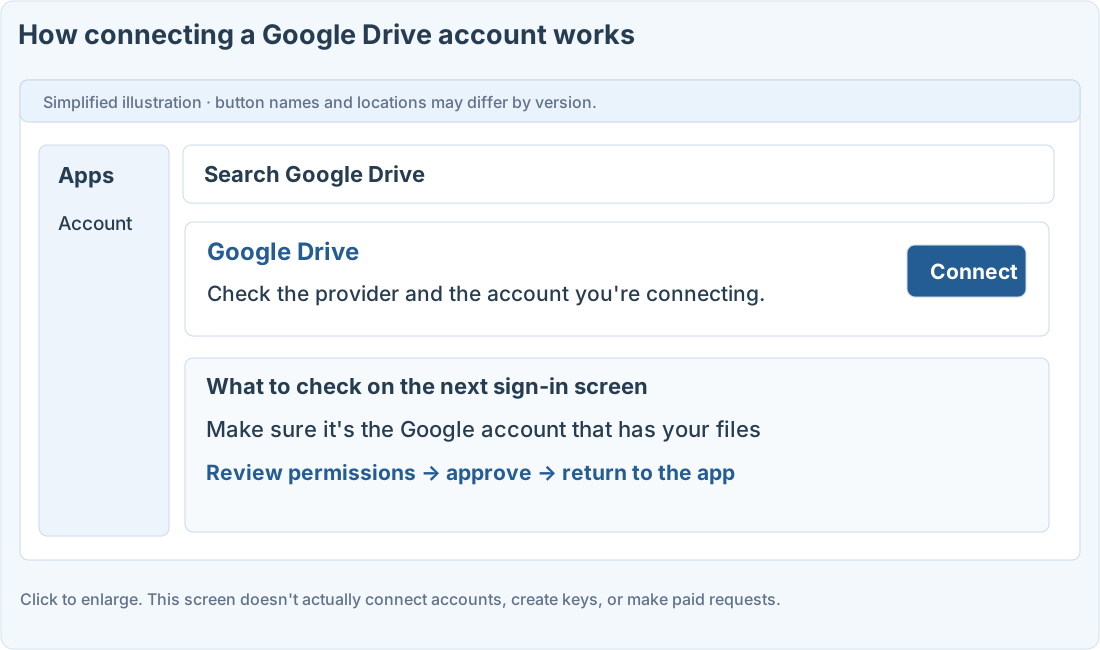
Follow along
Get ready before you start
You need the Google account that has your files and a ChatGPT account. Whether Drive connection is available depends on your plan, region, and admin policies. It’s different from creating a separate Google Cloud API key.
Check the account and permissions you’re connecting
1. Open plugins or apps
Open the plugins or apps menu currently shown in the sidebar or settings, and search for Google Drive.
2. Check the provider and click Connect
Tell it apart from third-party tools with similar names, and read the description, provider, and permissions needed.
3. Sign in with the Google account that has your files
If you have several personal or work accounts, check the email address. Review the permissions, approve, and you’ll come back to ChatGPT.
4. Test with one practice document
Pick a document with no sensitive information and use the first prompt below. Check that the title and link it finds match the real document.
Prompts you can copy
Search for one document
Check for the wrong account or permissions
Where people get stuck
Connected, but the file doesn’t show up
Check that the Google account you connected can open the original, and that you didn’t connect a different account. If a company policy blocks it, check with your admin. Connecting doesn’t give you more access than you already have.
Permission to read a document is different from permission to edit or share it. Test only reading at first, and disconnect from that app’s account management screen.
Quick check: If I connect Google Drive, can it get to all my Google files?
Answer: “No, only within the connected account and the permissions you granted”
The connection follows your existing account permissions and the actions you allowed.
Official sources
I'm stuck here
Stuck while following along? Tell me where. Only the site owner sees this. Leave your email only if you'd like a reply.
💌 Get new tips by email
I'll email you when a new tip goes up. No ads, ever.