New to AI? Start here → Start 1. ChatGPT vs. Codex: what's the difference?
Read errors and fix them with Codex
In one line
Read errors and fix them with Codex
Turn “it doesn’t work” into a description you can check again.
The big picture
Illustration (may look a little different from the real screen)
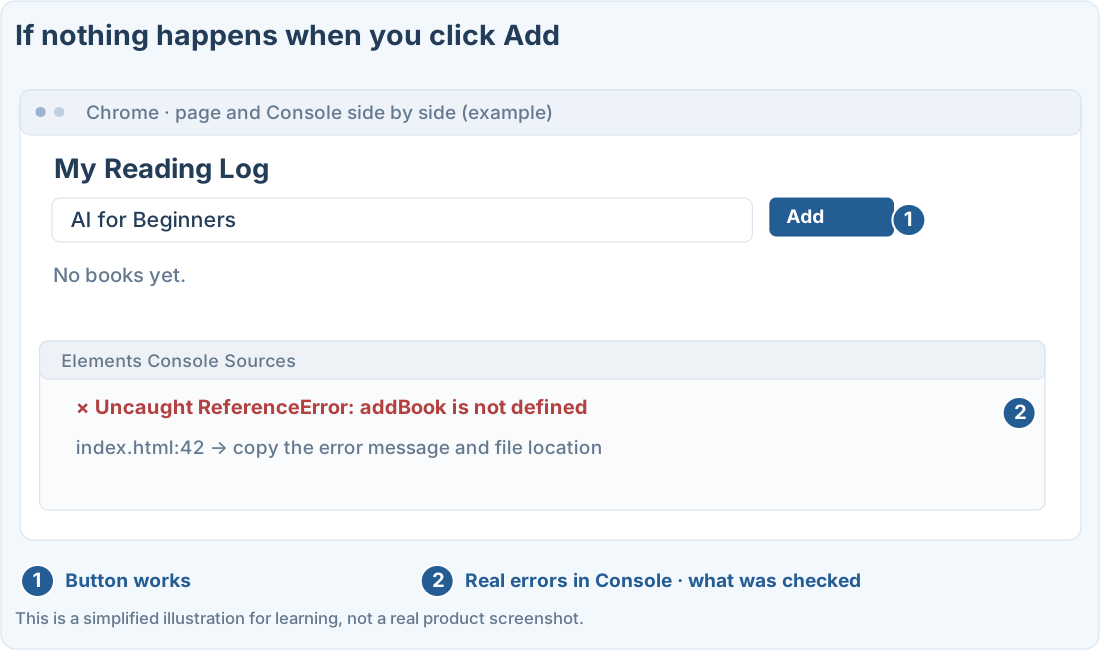
Follow along
Write down what you expected and what actually happened
Example: you type a book title and click Add, but it doesn’t appear in the list. Figure out whether the button itself doesn’t respond, or the list updates but doesn’t save.
Check the browser’s error messages too
1. Open the page with the problem
Make sure you open the file where the error happened, and click through in the same order again. Check that you aren’t looking at a different example file by mistake.
2. Open the Console in developer tools
In Chrome, choose the ⋮ menu → More tools → Developer tools, then open the Console tab. Menu names can differ by version. Don’t type any code at first. Just read the errors shown.
3. Pass along the error message and where it happened
If there’s a red error, copy the message and the file name and line number. Hide anything in the log that contains personal information or API keys. If there’s no error, say that too.
Fix one cause at a time
Illustration (may look a little different from the real screen)
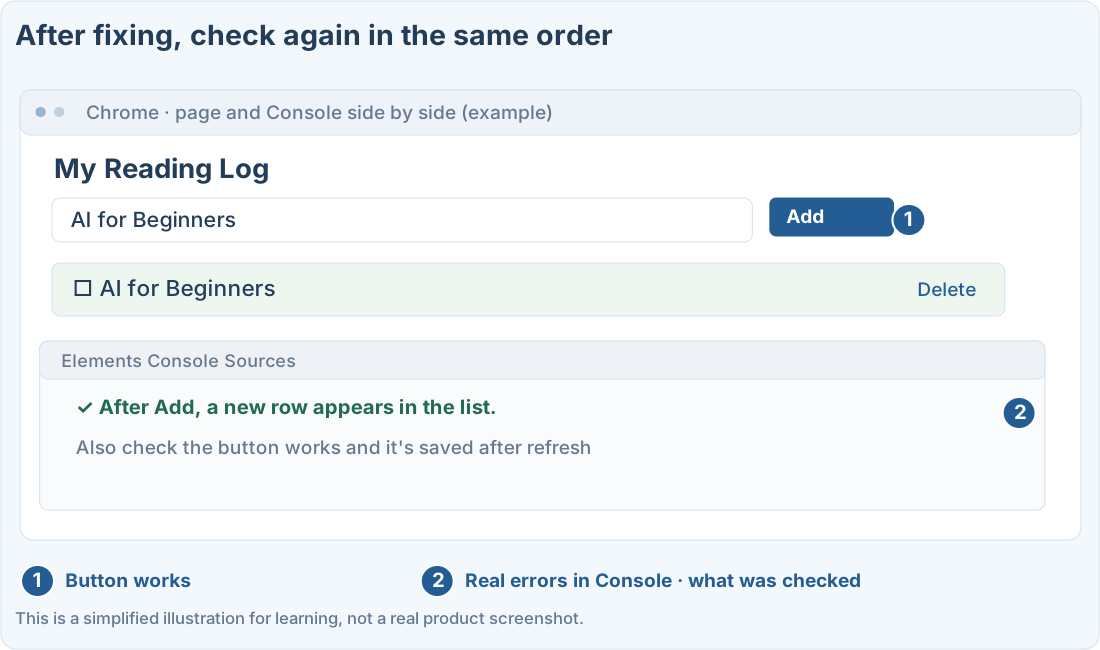
Don’t decide the cause ahead of time, like “It’s probably the browser.” What matters is that it failed before the fix, and works when you repeat the same steps after the fix.
Prompts you can copy
Ask it to look into an error
Narrow it down when fixes keep failing
Where people get stuck
If it keeps happening, narrow it down
If several fixes have piled up, have it compare the current file with the last version that worked. Finding the smallest part where the problem happens helps more than rebuilding the whole project.
Quick check: What’s the most helpful information to give when reporting an error?
Answer: “Steps to reproduce, what you expected, what happened, and the error message”
Give specific details of what you saw, so the same problem can be checked again.
Official sources
I'm stuck here
Stuck while following along? Tell me where. Only the site owner sees this. Leave your email only if you'd like a reply.
💌 Get new tips by email
I'll email you when a new tip goes up. No ads, ever.