New to AI? Start here → Start 1. ChatGPT vs. Codex: what's the difference?
How folders, files, and HTML fit together
In one line
How folders, files, and HTML fit together
Once you know where things are saved, changing and reopening them gets easier.
The big picture
Illustration (may look a little different from the real screen)
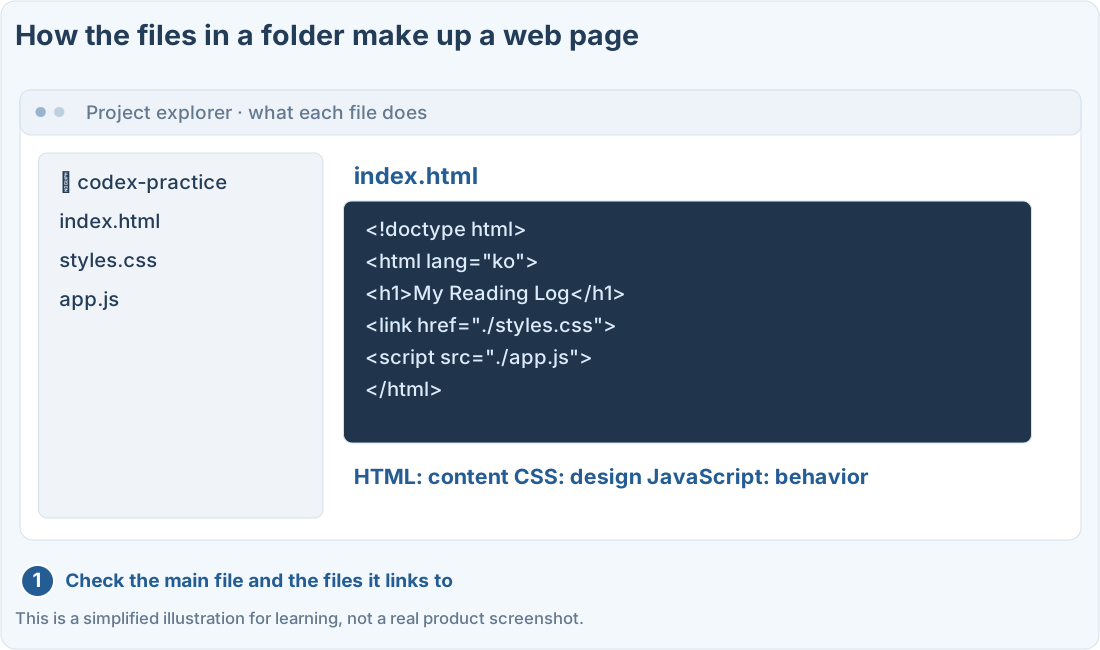
Follow along
First, open your practice folder
We’ll use the codex-practice folder from the first web page lesson. If you haven’t made it yet, do that lesson first.
Open the folder in Finder on Mac or File Explorer on Windows. Check that it’s the same location as the working folder you chose in Codex.
Files can be split up by job
HTML holds what’s on the page, CSS holds colors and layout, and JavaScript handles actions like clicking and saving. In a small practice project, they can all go inside one HTML file.
How to check the actual files
1. Check the file name and extension
index.html and index.html.txt are different files. If extensions are hidden, look for the option to show them: on Mac in Finder Settings → Advanced, and on Windows in File Explorer’s View menu. Menu names can differ by OS version.
2. Open the same file in your browser
Double-click index.html. If an editor opens, use Open With to pick your browser. Check that the path Codex told you matches the location of the file your browser opened.
3. When moving files, keep the links between files intact
If the project is split into several files, don’t move just the HTML. Move the related CSS, JavaScript, and images too, keeping the same structure. Relative paths are worked out from where the current file is.
Prompts you can copy
Understand the current file structure
Check for broken file links
Where people get stuck
If colors or images disappeared
Illustration (may look a little different from the real screen)
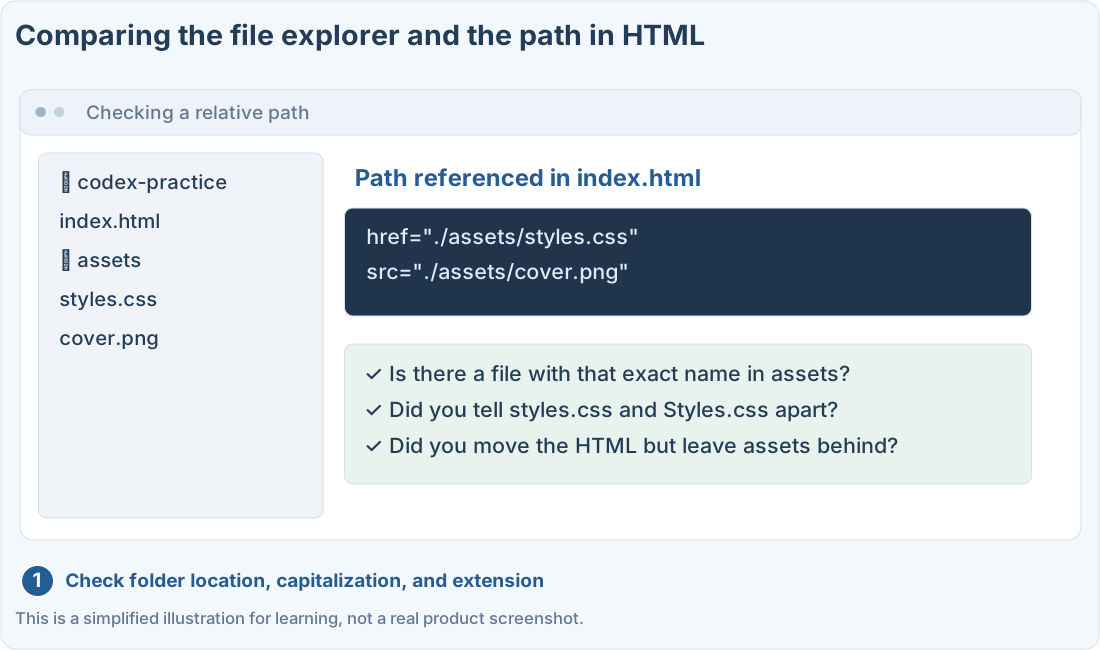
File paths differ from project to project. Don’t copy the names in this picture as is. Check with Codex using the actual file names in your folder.
Quick check: If the CSS and images are separate files, will it always look the same if I move just the HTML file to another folder?
Answer: “No, check the linked paths and related files together”
Separate files are connected by paths. If you move only the HTML, the design or images may disappear.
Official sources
I'm stuck here
Stuck while following along? Tell me where. Only the site owner sees this. Leave your email only if you'd like a reply.
💌 Get new tips by email
I'll email you when a new tip goes up. No ads, ever.